
Download Ad Muncher – ad blocker, ad removal, pop-up blocker, banner blocker, online privacy
Overview
Ad Muncher is a lightweight mobile application designed to address the growing frustration caused by intrusive online advertisements. Its primary purpose is to eliminate pop-ups, banners, and other disruptive ad formats from web browsing sessions and select third-party applications. By removing these interruptions, Ad Muncher aims to deliver a cleaner, faster, and more focused user experience. The app targets individuals who frequently encounter ads while browsing the web or using peer-to-peer software like Pando and LimeWire, where ad density can significantly hinder usability.
For users seeking uninterrupted access to content, Ad Muncher offers a practical utility tool that enhances digital productivity. It is particularly beneficial for those who value a distraction-free environment, whether for work, research, or casual browsing. While the developer did not provide additional background information, the app’s functionality suggests a focus on privacy and user control. Its ability to extend beyond standard web browsers into other programs indicates a niche approach to ad blocking that may appeal to power users and tech-savvy individuals.
Ad Muncher contributes to the broader mobile app ecosystem by offering a specialized solution in a market dominated by generic ad blockers. Its emphasis on customization and cross-application filtering positions it as a unique option for users dissatisfied with one-size-fits-all tools. The app’s release date of October 21, 2014, places it among early entrants in the ad-blocking space, reflecting its long-standing presence and potential for stability through years of updates.
Key Features & Functionality
Ad Muncher delivers a suite of features tailored to reduce digital clutter and enhance browsing efficiency. The core functionality centers on comprehensive ad removal, targeting banners, pop-ups, and audio interruptions across both web pages and supported applications. This dual-layer protection ensures users are not only shielded during online sessions but also during file-sharing or media-heavy activities where ads are commonly embedded.
- Comprehensive Ad Removal: The app actively filters out visual and audio ads from websites and compatible programs, minimizing disruptions and improving load times.
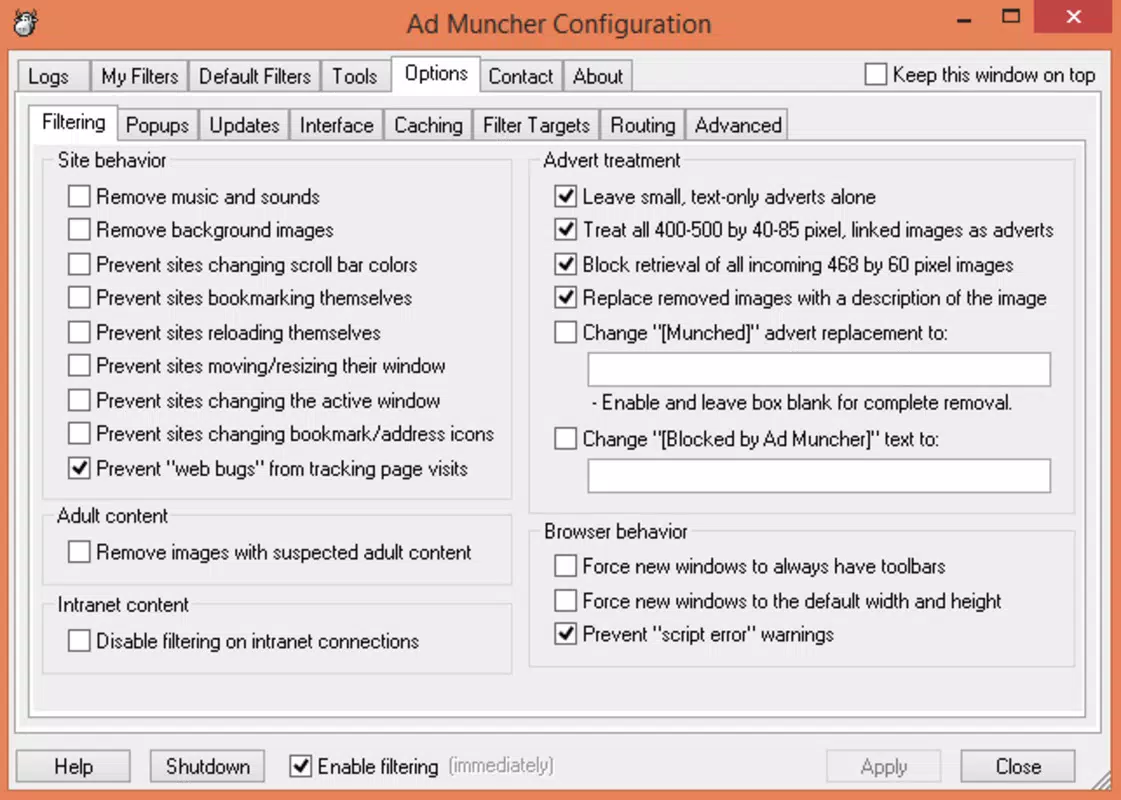
- Highly Customizable Settings: Users can adjust filter rules, window behaviors, and block lists to match their preferences, enabling a personalized ad-blocking experience.
- Multi-Browser Support: Ad Muncher is compatible with major web browsers, including Chrome, Firefox, Opera, and Internet Explorer, ensuring broad accessibility across different platforms.
- User Feedback System: The app includes a mechanism for users to submit feedback directly to developers, promoting iterative improvements based on real-world usage.
- Enhanced Navigation Experience: By reducing interruptions, Ad Muncher creates a smoother, more enjoyable browsing environment, especially on content-heavy or ad-saturated websites.
For example, a user downloading files via LimeWire may find the app prevents unwanted pop-up ads from appearing mid-transfer. Similarly, a researcher using multiple browsers can maintain consistent ad-free access across all sessions. These real-world applications demonstrate the app’s utility beyond basic web filtering.
Interface, UX & Performance
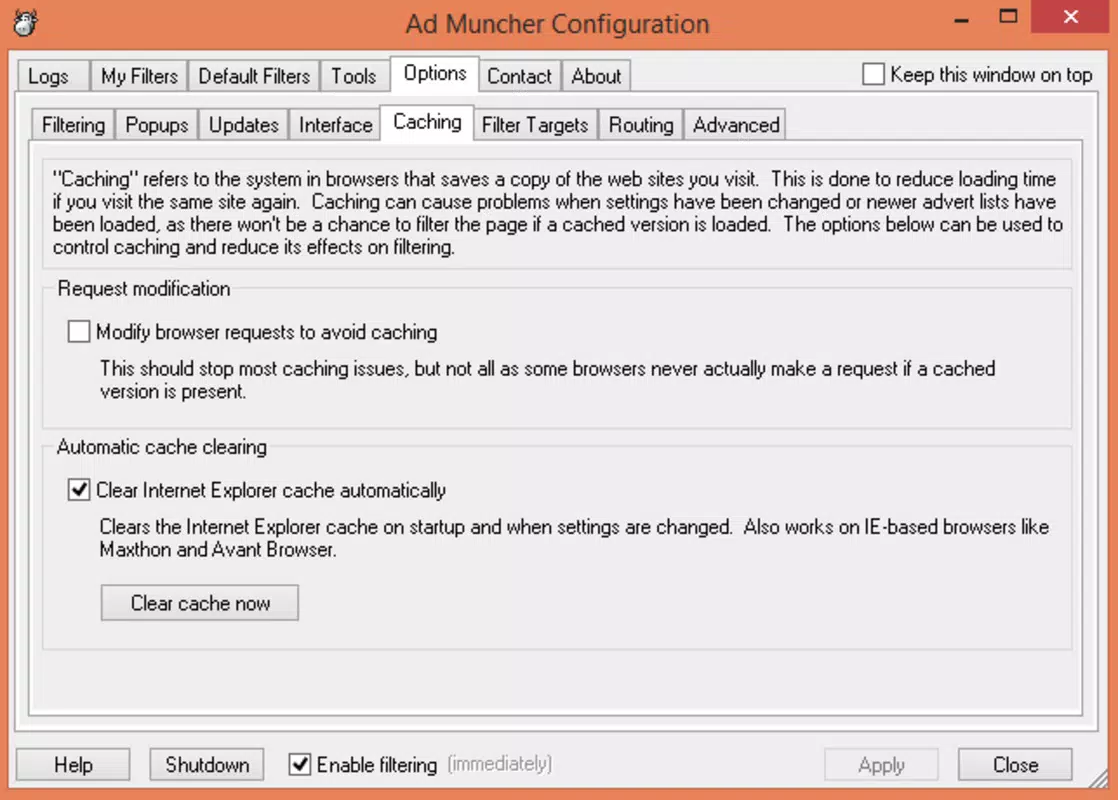
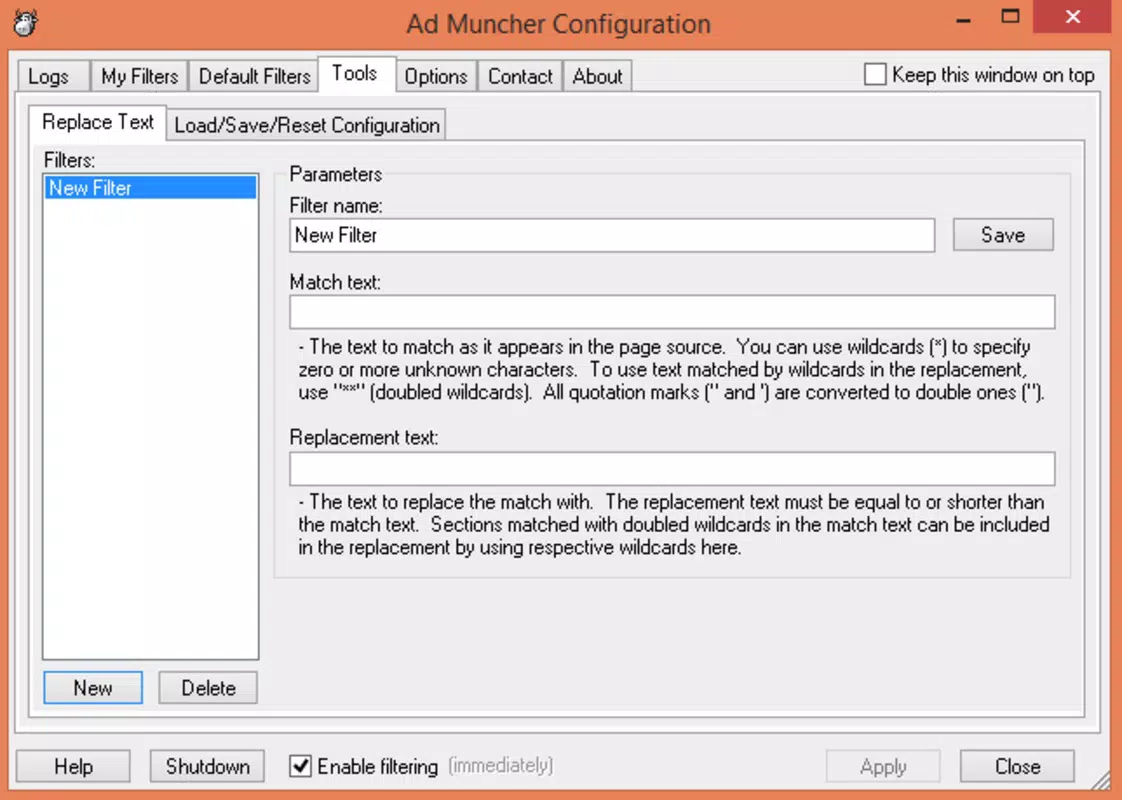
The user interface of Ad Muncher appears to prioritize functionality over visual flair, aligning with its lightweight design philosophy. The layout is straightforward, with essential controls and settings accessible through a clean navigation structure. While specific UI details were not provided, the app’s long-standing presence suggests a stable and consistent user experience across device types.
Navigation is expected to be intuitive, allowing users to configure filters and manage exceptions without requiring advanced technical knowledge. The app’s performance is likely optimized for low resource consumption, given its 1.5 MB file size and free pricing model. Although the developer did not list formal performance metrics, the lightweight nature implies minimal impact on battery life and system responsiveness.
Responsiveness is presumed to be efficient, particularly on mid-range and higher-end Android devices. Stability is another expected strength, considering the app’s release date and continued availability. However, compatibility with newer Android versions may depend on ongoing updates, which have not been detailed by the developer. Users should expect consistent behavior during regular use, though no specific testing data was provided.
Platform Compatibility & Technical Requirements
Ad Muncher is available exclusively on the Android platform. The current version is 1.0.2, with a file size of 1.5 MB, indicating a compact and efficient installation. The app is offered at no cost, making it accessible to a broad audience seeking free ad-blocking solutions.
The developer did not specify minimum OS requirements or compatibility details for specific Android versions. As such, users should verify whether the app runs smoothly on their device’s current Android release. While the app has been available since 2014, its continued functionality on modern devices depends on updates and backend support, which remain unconfirmed.
Given its small size and free model, Ad Muncher is likely designed to function on older or lower-spec Android devices. However, without official documentation on supported versions, users are advised to proceed with caution when installing on newer systems. The lack of detailed technical specifications limits the ability to assess full compatibility across diverse hardware configurations.
Pros and Cons
- Lightweight design with minimal storage footprint (1.5 MB)
- Free to download and use, no in-app purchases
- Supports multiple browsers and third-party applications
- Highly customizable settings for personalized ad blocking
- Includes a feedback system to guide future improvements
- Compatibility with newer Android versions not confirmed
- No official documentation on system requirements
- Development activity and update frequency not disclosed
- Limited visual feedback or analytics on ad-blocking effectiveness
- May not support modern web standards or encrypted traffic filtering
FAQ
Is Ad Muncher safe to install on Android devices?
Yes, the app is free and available through official channels. However, users should ensure they download it from trusted sources to avoid potential security risks.
Does Ad Muncher work on iOS devices?
Ad Muncher is currently available only on Android. There is no official iOS version or indication of future support.
Can I update Ad Muncher to the latest version?
Users can check for updates through their device’s app store. However, the update frequency and availability depend on the developer’s maintenance schedule.
Does Ad Muncher require special permissions?
The developer did not disclose specific permissions required. Users should review access requests during installation to ensure transparency.
Is Ad Muncher effective against modern web ads?
While the app is designed to block banners and pop-ups, its effectiveness against advanced ad-tracking technologies may vary. Performance depends on the filtering rules and compatibility with current web standards.
Final Thoughts
Ad Muncher stands out as a focused, no-frills solution for users seeking to reclaim control over their browsing experience. Its lightweight design, free access, and support for multiple applications make it a compelling choice for those tired of constant interruptions. While it lacks modern polish and detailed technical transparency, its core functionality remains relevant for users who value simplicity and customization.
Individuals who frequently use older or less secure applications, such as Pando or LimeWire, may find the app particularly useful. It also appeals to users who prefer minimalistic tools without unnecessary features. For those prioritizing privacy and uninterrupted navigation, Ad Muncher offers a reliable, low-overhead option.
Despite its age and limited documentation, the app continues to serve a niche but valid purpose in the digital landscape. Its long-standing presence suggests a degree of stability and user trust.
Download Ad Muncher now


